Building an online store has never been more accessible, yet creating a truly high-converting eCommerce website requires strategic planning and professional execution. Whether you’re launching a new direct-to-consumer brand or expanding an existing business online, understanding how to build website with Shopify effectively is essential for long-term success. This platform powers over 4.5 million stores worldwide in 2026, offering robust features that balance ease of use with advanced customization capabilities for businesses at every stage of growth.
Understanding Shopify’s Platform Capabilities
When you decide to build website with Shopify, you’re choosing a comprehensive eCommerce solution that handles everything from inventory management to payment processing. The platform has evolved significantly, introducing AI-driven design tools and enhanced performance optimization features that make professional store creation more accessible than ever.
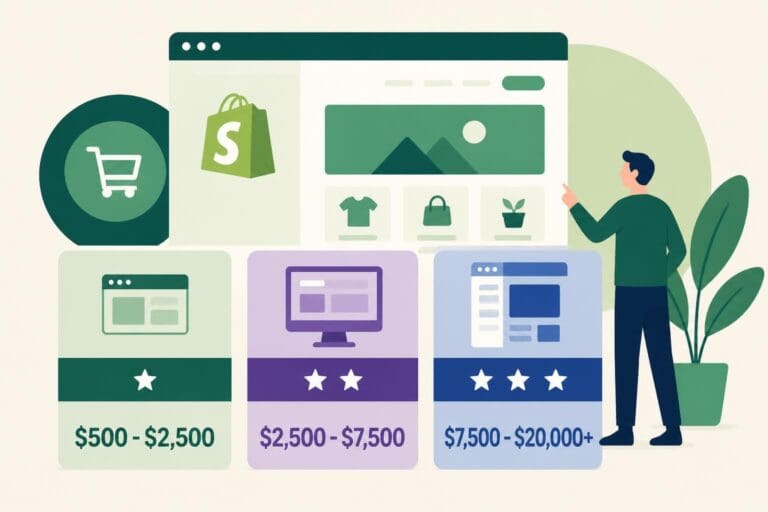
Shopify operates on a subscription model with multiple tiers designed to accommodate different business sizes and requirements. The Basic plan provides essential features for new stores, while the Shopify and Advanced plans unlock additional functionality like professional reporting and lower transaction fees. For established brands processing significant volume, Shopify Plus Development offers enterprise-level capabilities including dedicated infrastructure, advanced automation, and priority support.
Choosing the Right Plan for Your Business
Selecting the appropriate plan directly impacts your store’s scalability and operational efficiency. Consider these factors when making your decision:
- Monthly budget and projected sales volume
- Required staff accounts and user permissions
- Transaction fee structure versus subscription costs
- Advanced features like custom reporting and third-party calculated shipping
- Scalability requirements for future growth
The platform’s flexibility allows you to start small and upgrade as your business expands, making it an ideal solution for brands at various developmental stages.
Setting Up Your Shopify Store Foundation
The initial setup phase establishes the technical and operational foundation for your entire online presence. When you build website with Shopify, the registration process is straightforward, requiring basic business information and email verification. However, the decisions you make during these early steps significantly influence your store’s long-term performance and conversion optimization potential.
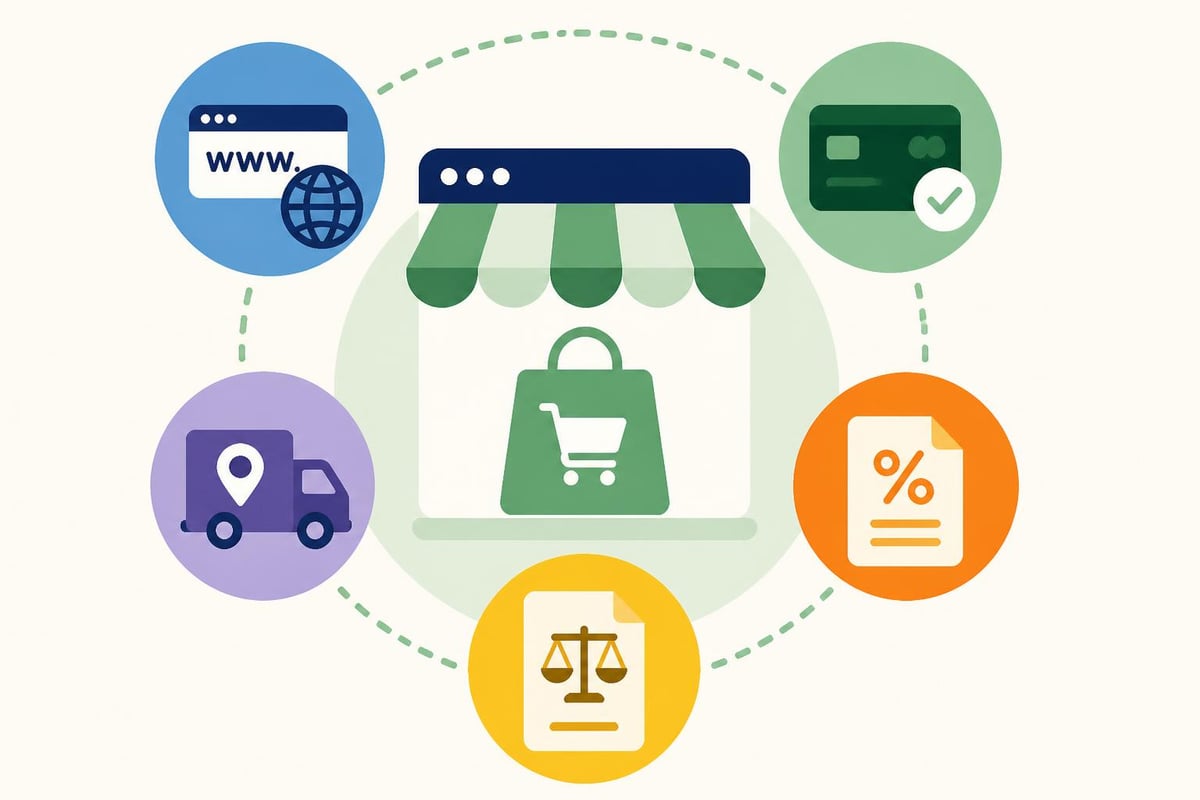
After creating your account, prioritize these critical configuration elements:
- Connect a custom domain to establish brand credibility and improve SEO performance
- Configure payment gateways including Shopify Payments or third-party processors
- Set up shipping zones and rates based on your fulfillment capabilities
- Configure tax settings according to regional requirements and nexus obligations
- Create essential legal pages including privacy policy, terms of service, and refund policies
Domain and Brand Identity
Your domain name serves as your digital storefront address and significantly impacts customer perception. Purchase a domain that’s memorable, brandable, and relevant to your products or services. Shopify allows seamless domain connection whether you purchase through their platform or transfer an existing domain from another registrar.
Selecting and Customizing Your Store Theme
Theme selection represents one of the most visible decisions when you build website with Shopify. The Shopify Theme Store offers both free and premium options, each designed with specific industries and aesthetic preferences in mind. While free themes provide solid functionality, premium themes typically include more sophisticated layouts, advanced customization options, and dedicated support from developers.
When evaluating themes, prioritize these performance factors:
| Criterion | Why It Matters | What to Look For |
|---|---|---|
| Mobile Responsiveness | 70% of eCommerce traffic is mobile | Adaptive layouts, touch-friendly navigation |
| Page Load Speed | Every second delay reduces conversions by 7% | Optimized code, minimal external scripts |
| Conversion Features | Impacts revenue directly | Quick view, sticky cart, trust badges |
| Customization Options | Brand alignment and differentiation | Color schemes, typography controls, section flexibility |
The theme development best practices guide from Shopify provides comprehensive technical standards for optimizing theme performance and user experience.
Implementing Conversion-Focused Design Elements
Professional Shopify development agencies like WebzPlot understand that effective design transcends aesthetics. Conversion rate optimization should guide every design decision, from color psychology to call-to-action placement. Navigation architecture must be intuitive, allowing customers to find products quickly while exposing them to complementary items that increase average order value.
Key design elements that drive conversions include:
- Clear value propositions prominently displayed above the fold
- High-quality product imagery with multiple angles and lifestyle context
- Strategic trust signals including security badges, reviews, and guarantees
- Simplified checkout process with guest checkout options and progress indicators
- Mobile-optimized navigation with hamburger menus and search functionality
Working with specialists who focus on Shopify Website Development ensures these elements are implemented with both design excellence and technical performance in mind.
Organizing Your Product Catalog Structure
When you build website with Shopify, product organization directly influences discoverability and customer experience. The platform uses a hierarchical structure with collections serving as primary organizational containers. Collections can be manual (you select specific products) or automated (products are added based on conditions like tags, price, or inventory level).
Strategic product organization enhances both user navigation and SEO performance. Create collections based on:
- Product categories (e.g., Men’s Shoes, Women’s Accessories)
- Seasonal promotions (e.g., Summer Sale, Holiday Gift Guide)
- Price ranges (e.g., Under $50, Luxury Collection)
- Bestsellers and new arrivals to highlight popular and fresh inventory
- Brand or vendor for multi-brand stores
Optimizing Product Pages for Conversion
Each product page serves as a dedicated sales tool requiring meticulous attention to detail. High-converting product pages incorporate persuasive copywriting, comprehensive product information, and social proof elements that reduce purchase hesitation.

Essential product page components include:
- Compelling titles with primary keywords and benefit-driven language
- Detailed descriptions addressing features, benefits, and use cases
- Variant options for size, color, or material displayed intuitively
- Dynamic pricing showing discounts, compare-at prices, and savings
- Customer reviews and ratings building trust and providing social validation
- Related products increasing cross-sell opportunities
The product description area offers an opportunity to tell your brand story while addressing customer questions and objections preemptively.
Implementing Technical SEO and Performance Optimization
Technical excellence separates adequate stores from high-performing ones. When you build website with Shopify, understanding performance optimization best practices ensures your store loads quickly and ranks well in search results. Page speed directly impacts both conversion rates and search engine rankings, making it a critical optimization priority.
Core Performance Optimizations
Implement these technical improvements to maximize store performance:
| Optimization Area | Implementation Strategy | Expected Impact |
|---|---|---|
| Image Optimization | Use WebP format, lazy loading, responsive sizing | 40-60% faster page loads |
| Code Efficiency | Minimize JavaScript, eliminate render-blocking resources | 20-30% speed improvement |
| Caching Strategy | Leverage browser caching, CDN distribution | Reduced server load, faster global delivery |
| Third-Party Apps | Audit and remove unused apps, async loading | 15-25% performance gain |
Google’s Core Web Vitals have become increasingly important ranking factors in 2026. Focus on improving Largest Contentful Paint (LCP), First Input Delay (FID), and Cumulative Layout Shift (CLS) metrics through strategic code optimization and resource management.
SEO Configuration and Best Practices
Shopify provides built-in SEO features, but maximizing organic visibility requires strategic implementation. Configure meta titles and descriptions for all pages, implement structured data markup for rich snippets, and create a logical URL structure that reflects your site hierarchy.
Additionally, prioritize:
- Alt text for all images describing content for accessibility and SEO
- XML sitemap submission to Google Search Console and Bing Webmaster Tools
- Canonical tags to prevent duplicate content issues
- Schema markup for products, reviews, and organizational information
- Mobile-first indexing optimization ensuring mobile versions rank effectively
Configuring Payment and Checkout Systems
The checkout experience represents the final conversion hurdle where many potential sales are lost. When you build website with Shopify, configuring a streamlined, trustworthy checkout process is essential for maximizing conversion rates. Shopify Payments offers the most integrated experience with competitive rates, but the platform supports over 100 alternative payment gateways for regional or preference-based flexibility.
Checkout Optimization Strategies
Reducing checkout friction increases completed purchases significantly. Consider these evidence-based optimizations:
- Enable express checkout options like Shop Pay, Apple Pay, and Google Pay for one-click purchasing
- Offer guest checkout eliminating forced account creation
- Display security badges prominently to build trust
- Provide multiple payment methods including credit cards, digital wallets, and buy-now-pay-later options
- Show clear shipping costs early in the process to prevent cart abandonment
Transparent pricing and shipping information prevent the sticker shock that causes 60% of cart abandonments in 2026.
Integrating Essential Apps and Functionality
The Shopify App Store contains thousands of applications extending platform functionality. When you build website with Shopify, selective app integration enhances capabilities without compromising performance. However, each app adds code to your store, potentially impacting load times and creating maintenance complexity.
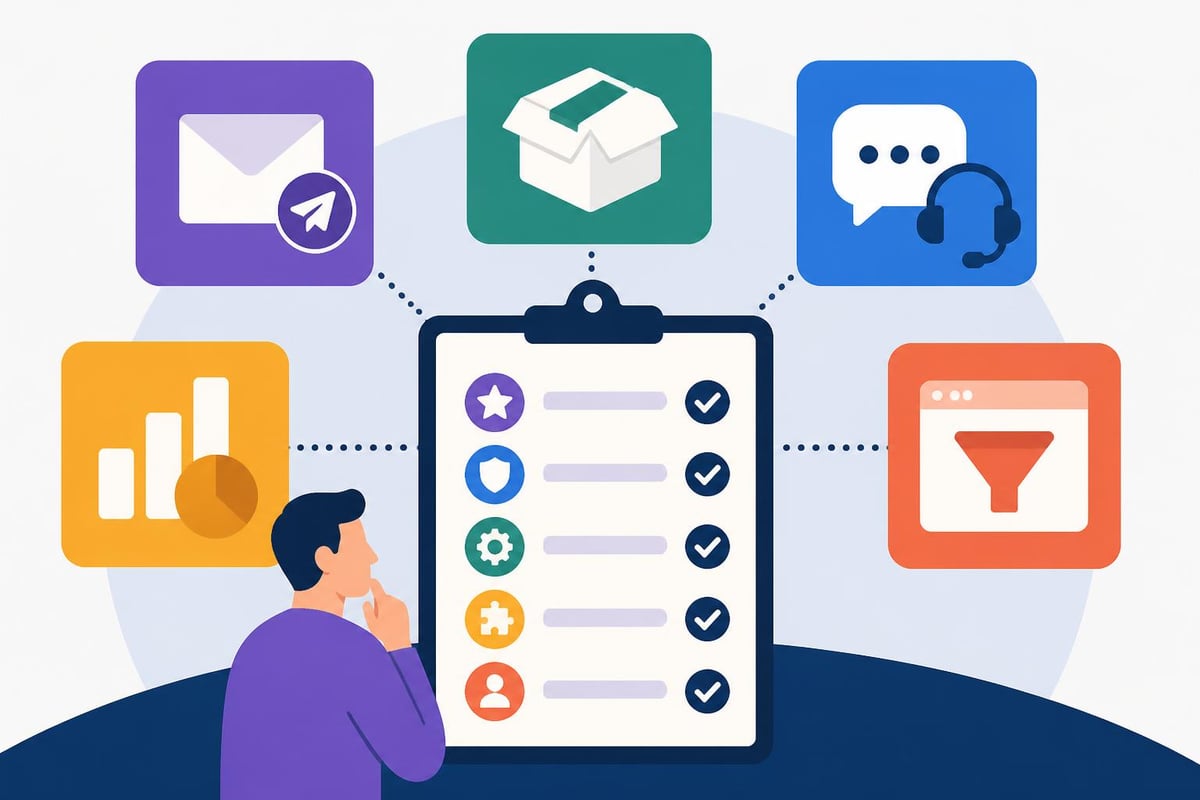
Prioritize apps in these critical categories:
- Email marketing and automation for customer retention and remarketing
- Review and social proof platforms building credibility through user-generated content
- Analytics and conversion tracking providing actionable insights for optimization
- SEO and marketing tools enhancing visibility and traffic generation
- Customer support solutions improving service quality and response times
Balancing Functionality with Performance
Each additional app should justify its inclusion through measurable impact on revenue or operational efficiency. Regularly audit your installed apps, removing those that are unused or provide redundant functionality. Many store owners discover that 20-30% of their installed apps are no longer actively contributing to business objectives.
When evaluating new apps, review their performance impact scores in the App Store, read recent reviews for compatibility issues, and test them in a development environment before deploying to your live store.
Establishing Marketing and Analytics Infrastructure
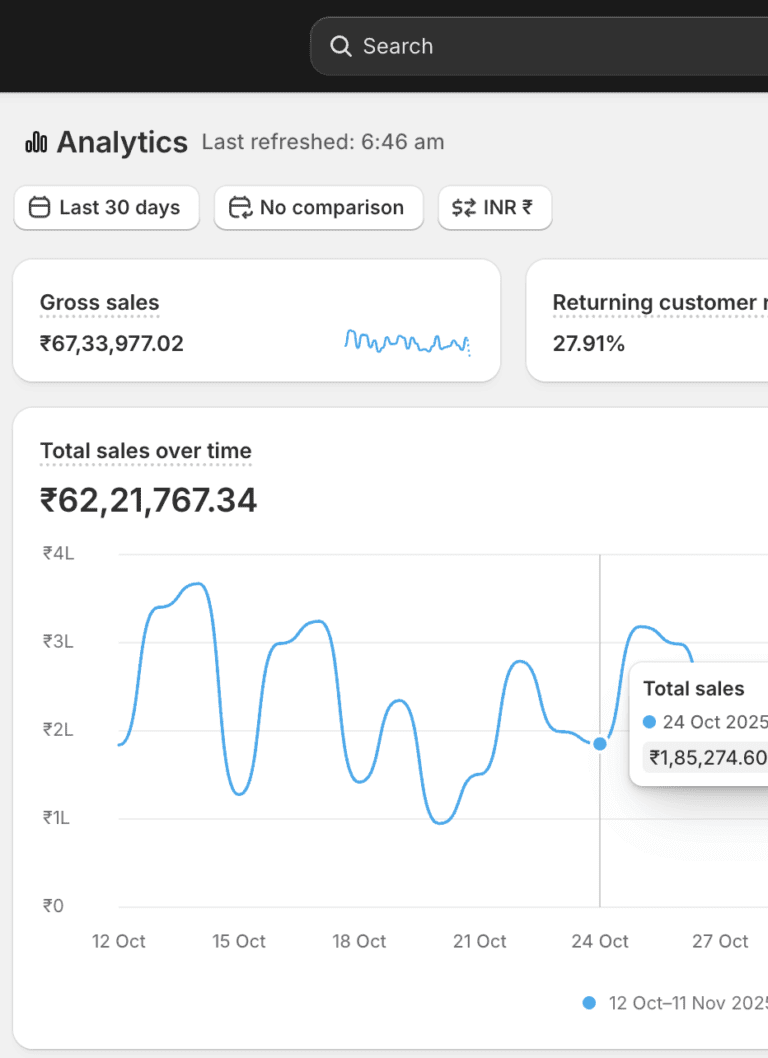
Data-driven decision-making separates successful stores from struggling ones. When you build website with Shopify, implementing comprehensive analytics from launch enables continuous improvement based on customer behavior patterns and conversion metrics. Shopify’s built-in analytics provide valuable insights, but integration with Google Analytics 4 offers more sophisticated attribution modeling and cross-platform tracking.
Key Metrics to Monitor
Track these performance indicators to guide optimization efforts:
- Conversion rate across different traffic sources and device types
- Average order value and strategies to increase it through bundling and upsells
- Customer acquisition cost relative to lifetime value for profitability assessment
- Cart abandonment rate and recovery campaign effectiveness
- Traffic sources and channel performance for marketing budget allocation
- Product performance metrics identifying bestsellers and underperformers
Establishing baseline metrics at launch provides comparison points for measuring improvement initiatives. Set up automated reporting dashboards that surface critical metrics daily, enabling rapid response to emerging trends or issues.
Launching and Scaling Your Shopify Store
The transition from development to live operation requires careful planning and thorough testing. When you build website with Shopify, comprehensive pre-launch quality assurance prevents embarrassing errors and ensures smooth customer experiences from day one. Create a detailed launch checklist covering technical functionality, content accuracy, and legal compliance.
Pre-Launch Testing Protocol
Execute these verification steps before removing password protection:
- Complete test purchases using all payment methods to verify transaction processing
- Test email notifications ensuring customers receive confirmations and updates
- Verify mobile responsiveness across multiple devices and screen sizes
- Check all links and navigation confirming pages load correctly without errors
- Review legal compliance including GDPR, accessibility standards, and regional requirements
- Test shipping calculations across different zones and cart values
- Validate checkout flow on multiple browsers and devices
Many successful brands partner with agencies like WebzPlot or specialised development teams to ensure technical excellence and conversion optimization during the critical launch phase.
Post-Launch Optimization Strategy
Launch represents the beginning of continuous improvement rather than project completion. Allocate resources for ongoing optimization based on real customer data and behavior patterns. Implement A/B testing for high-impact elements like headlines, call-to-action buttons, and product page layouts to identify improvements that drive measurable conversion increases.
Monthly optimization reviews should examine:
| Review Area | Analysis Focus | Action Items |
|---|---|---|
| Conversion Funnels | Drop-off points and friction areas | Streamline problem stages |
| Product Performance | Sales velocity and margin analysis | Adjust pricing, promotion, inventory |
| Traffic Sources | Channel ROI and acquisition costs | Reallocate marketing budget |
| Customer Feedback | Review content and support tickets | Address common concerns, improve descriptions |
| Technical Performance | Load times, error rates, uptime | Optimize code, upgrade infrastructure |
Advanced Customization and Development Options
While Shopify’s theme customization tools serve many businesses effectively, brands requiring unique functionality or distinctive design elements often pursue custom development. When you build website with Shopify using custom code, you unlock unlimited design possibilities and can create proprietary features that differentiate your brand from competitors.
Liquid, Shopify’s templating language, provides the foundation for theme customization. Developers can modify existing themes or build completely custom solutions that align precisely with brand requirements and user experience goals. Custom development becomes particularly valuable for businesses with complex product configurations, unique wholesale requirements, or sophisticated membership programs.
When to Consider Custom Development
Evaluate custom development investment when:
- Standard themes can’t accommodate your product complexity or selling model
- Brand differentiation requires unique design elements not available in templates
- Operational workflows need custom integrations with inventory, fulfillment, or ERP systems
- User experience requires specialized functionality like configurators, calculators, or interactive tools
- Conversion optimization demands A/B testing infrastructure beyond basic app capabilities
Understanding Shopify’s pricing structure helps budget appropriately for development investments that align with business objectives and expected return on investment.
Mobile Commerce Optimization
Mobile devices account for 76% of eCommerce traffic in 2026, making mobile optimization non-negotiable when you build website with Shopify. Beyond responsive design, mobile optimization requires rethinking navigation patterns, simplifying forms, and prioritizing loading speed for cellular connections. Touch-friendly interface elements, adequate button sizing, and streamlined checkout flows specifically designed for mobile users significantly improve conversion rates.
Progressive Web App (PWA) functionality offers app-like experiences without requiring downloads from app stores. PWAs provide offline browsing capabilities, push notifications, and home screen installation, creating engagement opportunities that bridge the gap between web and native applications.
Mobile-Specific Optimization Tactics
Implement these mobile-focused improvements:
- Thumb-friendly navigation with bottom-aligned menus for one-handed use
- Simplified forms using autofill, dropdown menus, and minimal required fields
- Mobile-optimized images sized appropriately for device screens
- Touch-target sizing ensuring buttons and links are easily tappable
- Accelerated mobile pages for lightning-fast content delivery on cellular networks
Testing your store regularly on actual mobile devices rather than just desktop browser simulators reveals user experience issues that analytics alone might miss.
International Expansion and Multi-Currency Support
Global commerce opportunities continue expanding, and Shopify provides robust tools for international selling. When you build website with Shopify with global ambitions, implementing multi-currency support, international shipping configurations, and localized content creates seamless experiences for customers worldwide. Shopify Markets consolidates international selling features, enabling management of multiple regions from a single admin interface.
Currency conversion displays prices in local currencies, reducing purchase hesitation caused by mental math requirements. Geolocation automatically detects customer location, presenting appropriate currency, language, and shipping options without manual selection.
International Selling Considerations
Address these factors when expanding globally:
- Payment gateway availability varies by region and may require multiple processors
- Shipping logistics and costs significantly impact international profitability
- Tax and duty calculations must comply with destination country regulations
- Translation and localization extends beyond language to cultural preferences
- Customer service hours should accommodate different time zones
Starting with one or two additional markets allows testing international operations before broader expansion commitments.
Building a successful Shopify store requires strategic planning, technical expertise, and ongoing optimization that extends well beyond the initial launch. Understanding how to build website with Shopify effectively positions your brand for sustainable growth in the competitive eCommerce landscape. Whether you’re just starting your online journey or ready to scale an established brand, WebzPlot specializes in creating high-converting, CRO-optimized Shopify stores backed by comprehensive digital marketing strategies that drive measurable results and accelerate business growth.